
Requirements / Pain Points
Patients and healthcare professionals needed an accessible test directory.
Website had to support English and Chinese to serve the local community.
Complex medical information required layered content access (public vs. logged-in).
Search functionality needed to handle test names, codes, and specimen requirements.
Content was disorganized, difficult to browse, and lacked pagination.
Website had to support English and Chinese to serve the local community.
Complex medical information required layered content access (public vs. logged-in).
Search functionality needed to handle test names, codes, and specimen requirements.
Content was disorganized, difficult to browse, and lacked pagination.

Note: All mockups shown here are screenshots of early-stage drafts used in the development of a real system. Names, numbers, and other text content have been altered for confidentiality and do not reflect the final delivered product or any real individuals or institutions.
UX Approach
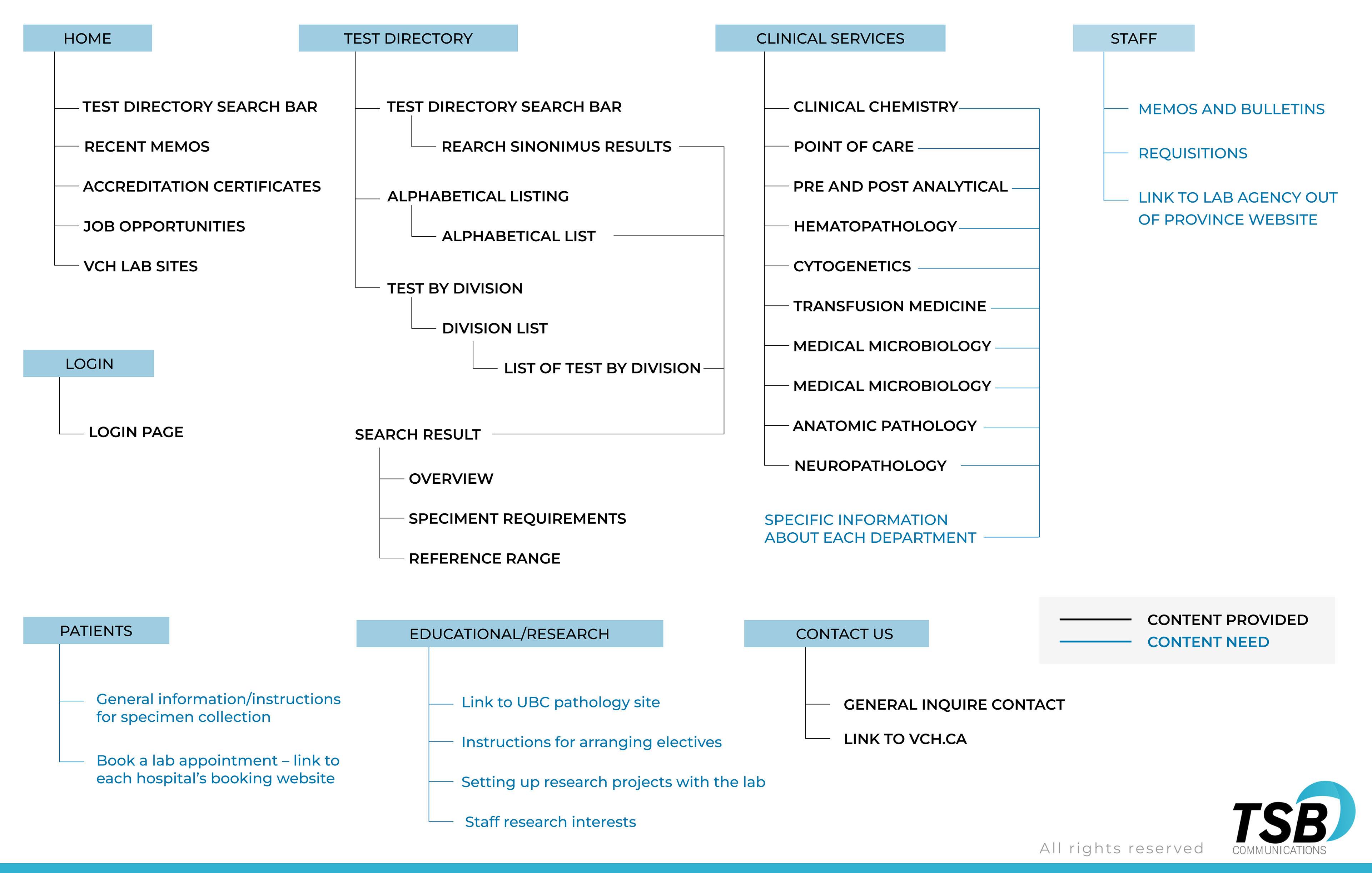
Prioritized information architecture (IA) to handle complex test data.
Designed multi-level navigation to separate patient, staff, and research sections.
Focused on search-first design for quick access to critical data.
UX Actions Taken
Structured website into clear sections: Test Directory, Clinical Services, Patients, Education & Research, Contact.
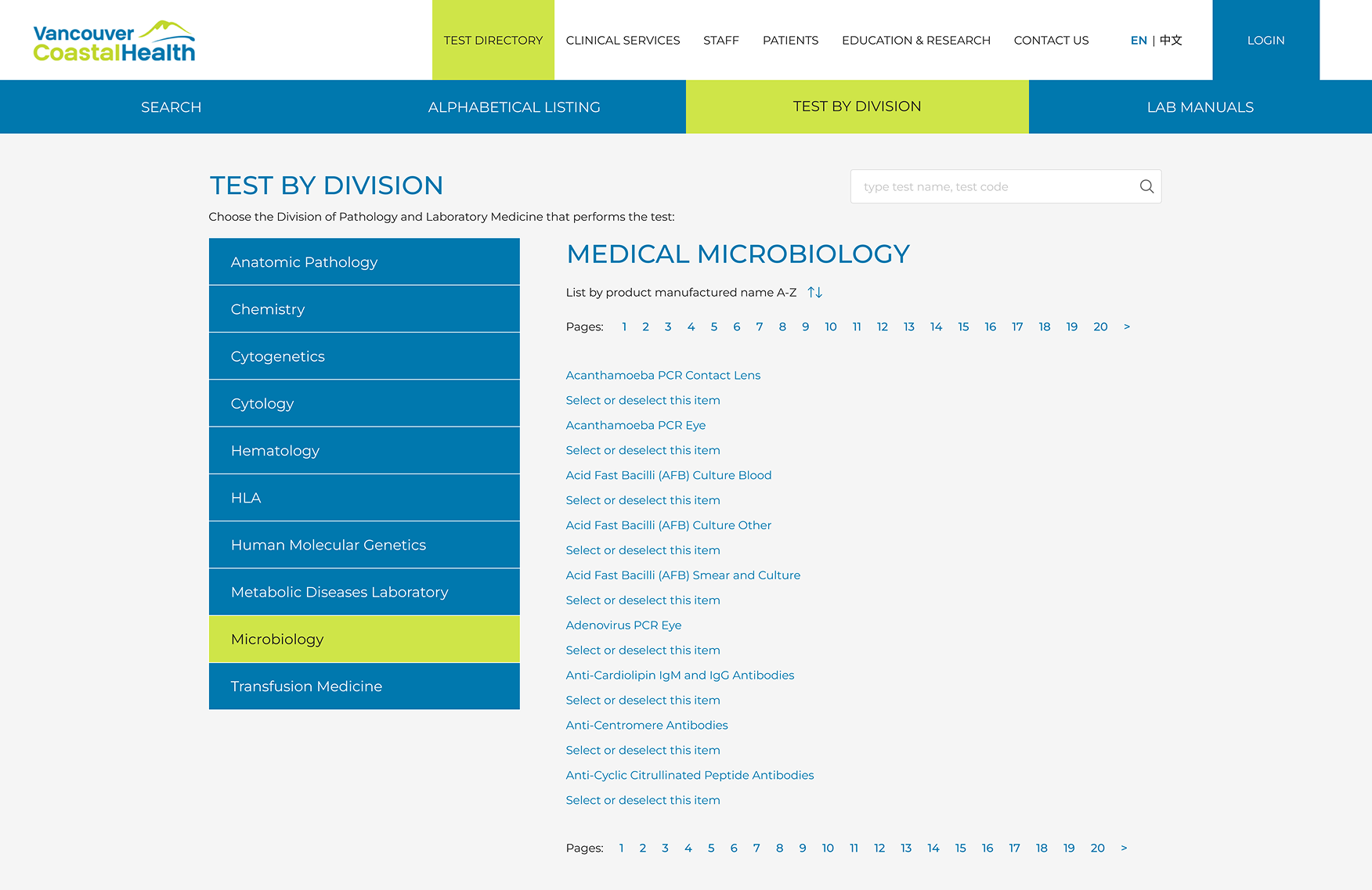
Designed global search input capable of handling test names, codes, or keywords.
Prototyped results page with multiple views: alphabetical, by category, with pagination.
Created progressive disclosure of information: general info for public users, deeper technical details for logged-in staff.
Considered responsive layouts for mobile access.
Conclusion
The test directory design could improve search efficiency, reduce time-to-information, and increase engagement from multilingual audiences. By organizing data clearly and supporting role-based access, the project aimed to enhance both clinical workflow support and patient accessibility.


